Roku Streaming Stick HD (2025) Review: Is This 1080p Streamer Worth It?
Our verdict: The 2025 Roku Streaming Stick HD is an affordable way to add modern streaming apps to an older television. It delivers up to 1080p, connects directly to HDMI and includes a voice remote with TV controls. The biggest drawback is simple: it cannot stream in 4K or HDR. If you own a 4K television, compare Roku’s 4K-capable alternatives before buying.
Editorial disclosure: This is a research-based product review, not a claim of hands-on testing. As an Amazon Associate, Wazubeez earns from qualifying purchases. See our affiliate disclosure.
Check Roku Streaming Stick HD availability on Amazon
What is the 2025 Roku Streaming Stick HD?
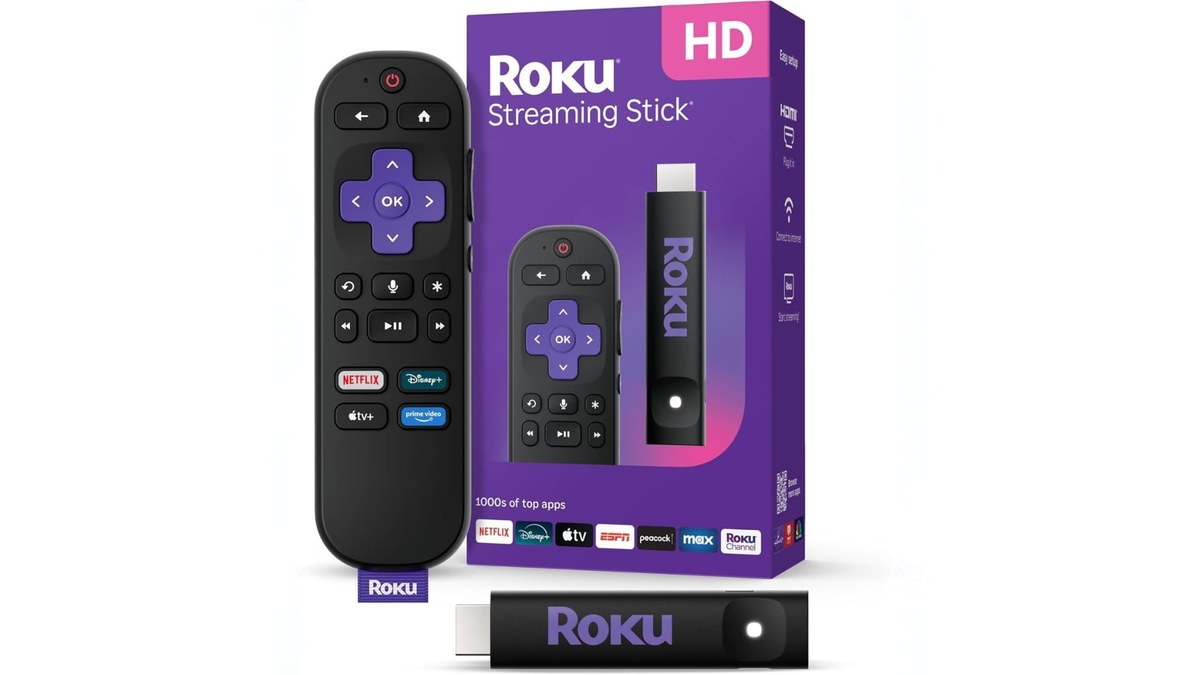
The linked item, Amazon ASIN B0DXXYS4BJ, is the 2025 Roku Streaming Stick HD. Roku lists this current device as 3840X, an entry-level HDMI streamer designed for HD televisions. It adds a dedicated streaming interface to displays that have HDMI and an internet connection, which can be particularly helpful if older built-in smart TV apps are slow or no longer receive updates.
Specifications at a glance
| Feature | Specification |
|---|---|
| Device | Roku Streaming Stick HD (2025) |
| ASIN | B0DXXYS4BJ |
| Roku hardware family | 3840X |
| Maximum video | 1080p Full HD; also supports lower-resolution HD |
| 4K / HDR | Not supported |
| TV connection | Direct HDMI |
| Network | Dual-band Wi-Fi |
| Remote | Roku voice remote with compatible TV power and volume control |
| Power | USB power; available TV ports vary in power output |
| Apps | Supported streaming apps, Roku’s free content options |
| Subscriptions | Individual paid streaming services may charge separately |
Roku’s official hardware directory identifies the 2025 3840X unit and its 1080p maximum playback resolution.
What we like about Roku Streaming Stick HD
It gives an old HDTV a fresh interface
Many people replace a television when the built-in streaming software becomes frustrating, despite the actual display still working. A small HDMI streaming stick can be a less expensive alternative. Roku provides its own app menu, search and software platform independent of the TV manufacturer’s aging smart interface.
It won’t improve a panel’s contrast, brightness, or refresh rate, and it can’t turn a 1080p screen into a 4K display. What it improves is the way you find and watch content.
The slim form factor keeps installation simple
The stick plugs directly into HDMI instead of requiring a separate box on a shelf. Many televisions can also supply its USB power, although some sets need a compatible separate USB supply. Check physical clearance behind the TV if other cables sit close together.
The included voice remote is useful
Roku’s voice remote supports content searches and basic controls for compatible televisions, reducing the need to use a second remote for power or volume. Individual compatibility varies across TV brands and equipment.
Choice of free and subscription content
Roku supports an extensive collection of streaming services and free options. However, a Roku device does not grant free access to paid services. Apps, program catalogs, and subscriptions vary by region and provider.
The major limitation: HD is not 4K
Although the stick is a recent model, it only outputs 1080p video. A 4K television can upscale the signal but can’t recover the fine detail of native 4K source video. This is not a meaningful downside for a 1080p bedroom TV; it matters more if the streaming stick is intended for a newer high-resolution display.
Roku’s Streaming Stick Plus and other 4K models have higher maximum video resolution. Paying a little extra for a 4K model can be sensible if you expect to keep the streaming device when you upgrade televisions.
How does it compare with a Fire TV?
Roku uses Roku OS, while TVs such as the INSIGNIA F50 55-inch Fire TV have Amazon’s Fire TV system built in. Both approaches provide streaming apps. A separate stick is a straightforward upgrade for an older display; a new Fire TV is a more substantial purchase that also replaces the screen itself.
Pros and cons
Pros
- Simple HD streaming upgrade for TVs with HDMI
- Compact design with no separate tabletop box
- Voice remote and compatible TV controls included
- Dual-band wireless networking
- Can be powered by a compatible television’s USB port
- Easy access to free and paid streaming apps
Cons
- No 4K output or HDR support
- Paid streaming services still require subscriptions
- Needs a dependable Wi-Fi connection
- Some television USB ports may not supply enough power
- No major picture-quality advantage if your current smart TV apps already work well
Who should buy it?
Best for: Owners of older 720p or 1080p televisions whose built-in streaming interface is missing apps, slow or unsupported. It is also a useful low-cost option for guest rooms and secondary TVs.
Consider a different model if: You own a 4K/HDR television, are planning to purchase one soon, or need advanced audio/video formats found on higher-tier streamers.
Frequently asked questions
Does the Roku Streaming Stick HD support 4K?
No. The 2025 model supports video output up to 1080p.
Do I have to pay Roku every month?
No general Roku subscription is required to use the device, but individual premium streaming services may charge.
Can I control my TV volume with the remote?
Yes, on compatible televisions. Some setups may not support every control.
Does this device work without internet?
Streaming apps and their content generally require internet access.
Final verdict
The Roku Streaming Stick HD delivers an accessible streaming experience at a modest cost. For an older HDTV, it can be exactly the kind of upgrade that keeps a perfectly good television useful. Its 1080p limit is the deciding factor: buy it for an HD display, and look at a 4K Roku if your screen supports a higher resolution.
View Roku Streaming Stick HD on Amazon